Raising Cane’s Delivery — DoorDash, Uber Eats & Grubhub Guide
Fast food lovers sometimes crave Raising Cane’s but can’t make it to a restaurant. Fortunately, many locations now offer Raising Cane’s delivery through third‑party services. This comprehensive guide explains which apps deliver, how to place orders, and smart tips for a smooth experience. By the end, you’ll know exactly how to enjoy Cane’s chicken fingers at home without hassles.
Delivery Platforms Available
Third‑Party Services Partnered With Raising Cane’s
Raising Cane’s does not operate its own delivery fleet. Instead, it partners with select third‑party apps to bring meals to your door. According to updated menu guides, Raising Cane’s offers delivery through Uber Eats, DoorDash, Grubhub, Instacart, and Favor. Each platform sets its own fees and service areas. Delivery availability depends on your address and local restaurant policies.
Checking Availability
Before placing an order, confirm that delivery is offered in your area. Enter your address or zip code in your chosen app or visit your local restaurant’s page to see if delivery is supported. Not every Raising Cane’s location participates, and delivery hours may differ from regular operating times.
Platform Overview
- Uber Eats: Provides contactless delivery and real‑time tracking. Search for “Raising Cane’s Chicken Fingers” to view available locations. Delivery fees vary based on distance and demand.
- DoorDash: Offers both delivery and pickup. Top markets include large cities and college towns. DoorDash occasionally runs free‑delivery promotions for new customers.
- Grubhub: Lists the full menu and lets you schedule orders in advance. Rewards members may earn free delivery on certain days.
- Instacart: Traditionally known for groceries, Instacart now delivers meals in some regions. Its availability may be more limited compared to other platforms.
- Favor: A Texas‑based service that sends personal runners to pick up orders. Fees are typically higher, but it operates in select markets where other apps may not.
How to Order Raising Cane’s for Delivery
Step 1: Choose Your Delivery App
Pick the app that serves your area. Open Uber Eats, DoorDash, Grubhub, Instacart, or Favor and search for “Raising Cane’s.” If multiple locations appear, select the restaurant closest to you to shorten delivery time.
Step 2: Browse the Menu
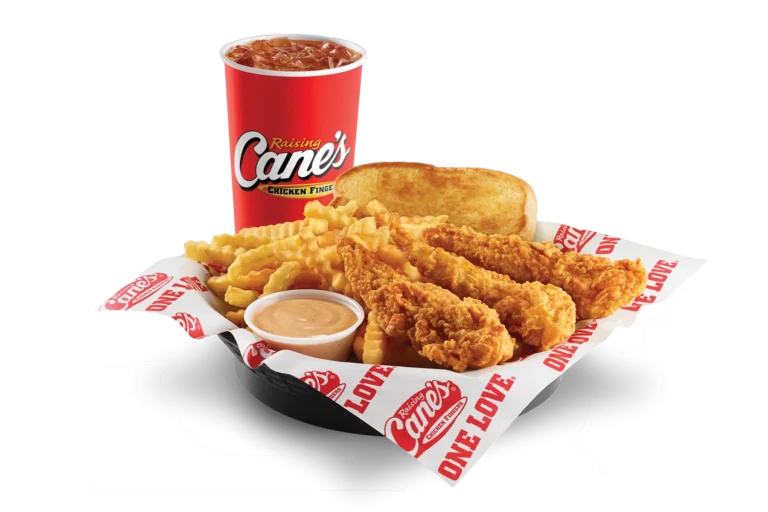
The delivery apps mirror Raising Cane’s simple menu. You will see combos, tailgate packs, sides, and drinks. Combos include chicken fingers, fries, Texas toast, Cane’s sauce and a drink. Pricing may differ slightly from in‑store costs because of delivery markups and fees.
Step 3: Customize Your Order
Although delivery menus are streamlined, you can still make small adjustments. For example, you may request extra sauce cups, swap fries for coleslaw, or ask to skip slaw. Some apps also allow notes like “extra crispy fries” or “no ice in drink.” Customization options vary by app and location.
Step 4: Add Items to Your Cart
After customizing, add items to your cart. Consider adding extras like individual chicken fingers or additional sauce cups if you need more than the standard combo. Extras help tailor orders without buying another full meal.
Step 5: Check Out and Pay
Proceed to checkout when ready. Payment methods depend on the app but typically include major credit cards, debit cards, gift cards, and digital wallets. Note that orders placed through Raising Cane’s own app accept MasterCard, Visa, Discover, American Express, gift cards, Apple Pay, and Sezzle for split payments. Third‑party apps may charge extra service and delivery fees.
Step 6: Track Your Delivery
After payment, the app displays an estimated delivery time. Many platforms offer real‑time tracking so you can watch your order move from the restaurant to your door. Keep your phone handy to communicate with the driver if needed.
Delivery Fees, Minimums & Payment Details
Understanding Fees
Third‑party services charge multiple fees—delivery, service, and small order fees. These costs vary based on distance, order size, demand, and membership status. Check each app’s fee breakdown before placing the order so you aren’t surprised by hidden costs. Some apps offer subscription programs (e.g., DoorDash’s DashPass or Grubhub+) that waive delivery fees after an annual or monthly payment.
Minimum Order Amounts
A minimum subtotal is often required for delivery. If your order total falls below this threshold, the app may add a small order fee. To avoid these charges, consider ordering a combo with an extra chicken finger or drink to surpass the minimum.
Payment Options
Most delivery apps accept major credit cards and digital wallets. Gift cards specific to Raising Cane’s might not be usable on third‑party platforms. If you want to pay with a gift card, order directly through Raising Cane’s app or website, which accepts gift cards and Apple Pay. Always confirm accepted payment methods before finalizing the order.
Customization & Special Instructions
Adjusting Sides and Sauces
Raising Cane’s allows simple modifications. You can swap fries for coleslaw or add extra toast in place of coleslaw. Requesting more sauce or no sauce is generally allowed, though additional sauce cups might cost extra. Note that modifications might be limited on some delivery platforms.
Extra Instructions
Use the “special instructions” box to clarify preferences like “extra crispy chicken” or “sauce on the side.” Remember that delivery drivers may not be familiar with every customization, so keep instructions clear and concise. If an option isn’t available on the app, call the restaurant directly to confirm it before ordering.
Group Orders & Tailgates
For large gatherings, consider ordering Tailgate packs. These packs come in 25‑, 50‑, 75‑ or 100‑finger sizes and include sauces. Tailgate orders offer better value per piece and minimize small order fees. They’re perfect for parties, game days or office lunches.
Deals, Promotions & Rewards
Lack of Traditional Coupons
Raising Cane’s doesn’t issue traditional promo codes. Its savings come mainly from the Caniac Club rewards program. Members get birthday rewards, surprise offers and occasional discounts. Delivery orders placed through third‑party apps usually don’t apply these rewards unless specified.
Free Delivery Promotions
Delivery apps sometimes run promotions such as free delivery for new users or during special events. Keep an eye on the promotions tab within your chosen app. These offers are often limited to orders over a minimum amount and may be available only on certain days.
Rewards Within the Cane’s App
While not directly tied to third‑party delivery, using Raising Cane’s app and linking your Caniac Club card provides the best savings. The app sends personalized offers and app‑only deals. When you order through the app or scan your QR code in store, rewards apply automatically. You can then choose pickup or order ahead for drive‑thru, which may be faster and cheaper than delivery.
Pros and Cons of Delivery vs Pickup
Pros
- Convenience: Have your meal delivered to your doorstep without leaving home.
- Accessibility: Delivery is useful for fans living far from a Raising Cane’s restaurant.
- Time Savings: No need to wait in line or drive through traffic.
Cons
- Higher Costs: Delivery adds fees and tips that increase the total price.
- Longer Wait Times: Drivers must travel to the restaurant, place the order, and wait for preparation. Delivery may take longer than pick‑up.
- Limited Customization: Certain modifications may not be available through third‑party apps.
- Rewards Exclusions: Caniac Club benefits usually don’t apply to third‑party orders.
Tips for a Smooth Delivery Experience
Verify Store Participation
Not all Raising Cane’s locations offer delivery. Before you order, check the app or call the restaurant to confirm. Avoid placing an order if the store is marked as closed or if hours don’t match the app listing.
Plan Ahead During Peak Times
Fridays, weekends, and sporting events can cause longer waits. Place orders early or during off‑peak hours to reduce delays. Opt for pickup during rush periods if you are nearby.
Track Your Order
Use real‑time tracking to monitor when the driver arrives at the restaurant and starts heading to you. If you notice a delay, contact the driver through the app or the platform’s support chat.
Tip Generously
Delivery drivers handle the entire process—from ordering at the counter to transporting hot food. A fair tip compensates them for their time and ensures good service in the future.
Ensure Accurate Address Details
Double‑check your address and delivery instructions. Include unit numbers, gate codes or any unique directions to avoid delays and misdeliveries.
Comparison of Delivery Platforms
| Platform | Availability | Payment Options | Pros | Cons |
|---|---|---|---|---|
| Uber Eats | Widely available in major cities; select Raising Cane’s locations | Credit/debit cards, PayPal, digital wallets | Real‑time tracking; contactless delivery | Fees vary; high demand surcharges |
| DoorDash | Extensive coverage; includes pickup | Cards, Apple Pay, Google Pay, DashPass subscription | Frequent promotions for new users; scheduled orders | Service fees; menu prices may be higher |
| Grubhub | Available in many cities; some rural areas | Cards, Grubhub gift cards, Venmo | Pre‑ordering and group orders; rewards program | Delivery fees; slower in small markets |
| Instacart | Limited availability for restaurant delivery | Cards, Apple Pay, Google Pay | Combines grocery and food delivery | Less consistent coverage; higher fees |
| Favor | Primarily Texas and a few other states | Cards, cash to runner (varies) | Personalized runner service; good for special requests | Higher service fees; small market reach |
Frequently Asked Questions
Yes. Updated menu guides confirm that Raising Cane’s works with Uber Eats, DoorDash, Grubhub, Instacart, and Favor to provide delivery.
Enter your address in your preferred app or check your local restaurant’s page. Delivery availability depends on your location and the third‑party platform.
Yes. You can request extra sauce, swap sides or ask for no slaw. However, not all customizations are available on every platform.
Generally, no. Raising Cane’s rewards are tied to the Caniac Club and are redeemed through the official app or in‑store scanning. Third‑party apps usually do not apply Caniac Club rewards.
Third‑party platforms accept most major credit and debit cards. If you wish to use a Raising Cane’s gift card or Apple Pay, order through the official Cane’s app or website instead.
Conclusion
Ordering Raising Cane’s for delivery has never been easier. With partnerships across major platforms like Uber Eats, DoorDash, Grubhub, Instacart and Favor, you can enjoy Cane’s chicken fingers from home. While delivery adds convenience, it comes with fees and potential wait times. Use this guide to select the best platform, customize your meal, and understand the costs. For loyal fans, join the Caniac Club to access rewards and consider pickup or app ordering for greater savings. Whatever method you choose, a delicious Raising Cane’s meal is just a few taps away.